Help

Install Crew.

Download it, drag it to Applications, open it. About two minutes.

Download for Mac

Free for one company · on your own AI plan, Claude today, more coming · Apple silicon Mac · macOS 14.0 or later

  1. Download Crew

    Press Download for Mac. No administrator password needed.

  2. Move it to Applications

    Drag Crew into your Applications folder, then open it from there.

  3. Choose Open

    macOS checks Crew and asks once. That’s the only question it should ask.
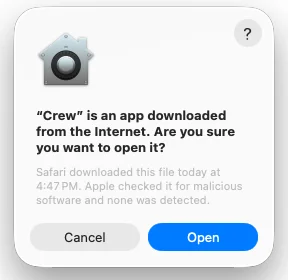
    macOS asks: “Crew” is an app downloaded from the Internet. Are you sure you want to open it? with Cancel and Open.
  4. Tell us once

    Crew opens on two doors: Show Crew what you’ve made, or I have an idea.
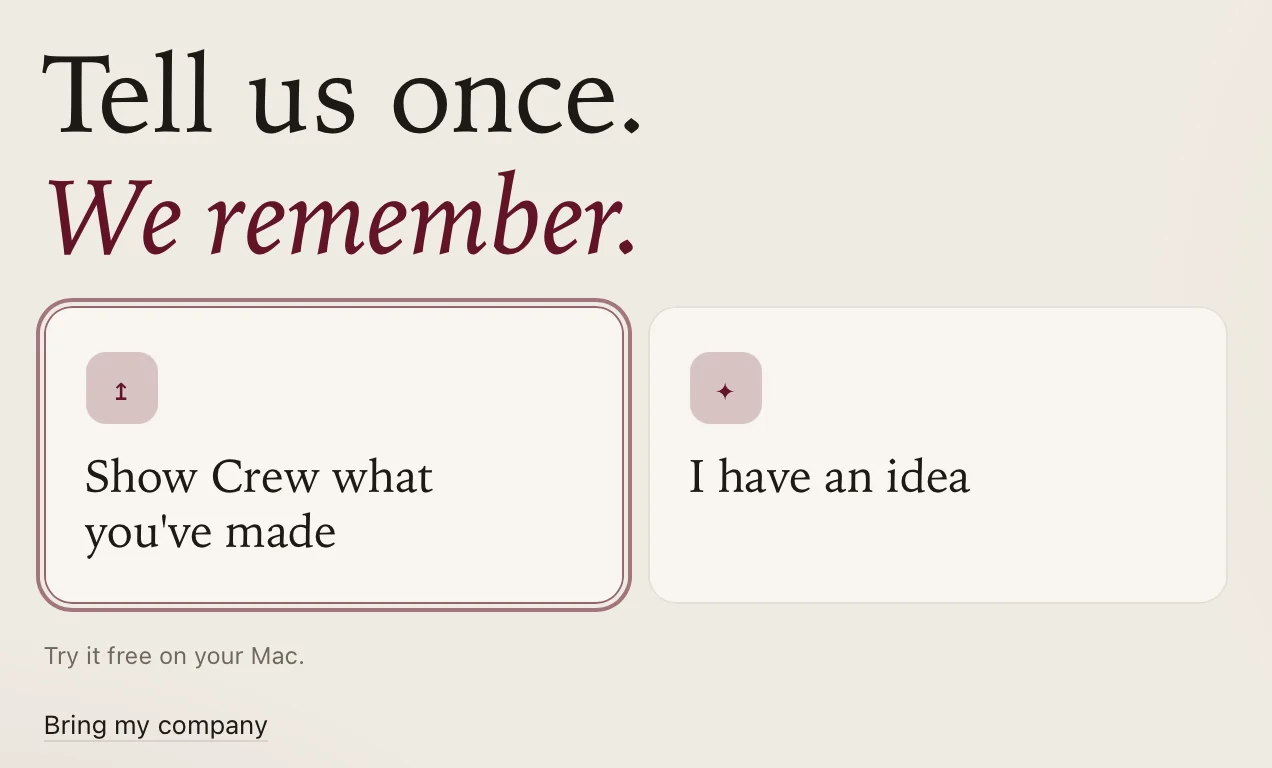
    From Crew 0.8.19: Tell us once. We remember. Two doors, Show Crew what you’ve made and I have an idea; under them Try it free on your Mac. and Bring my company.
  5. Say your idea

    Say it like you’d tell a friend, then Keep my idea. Made something? Paste your page instead.
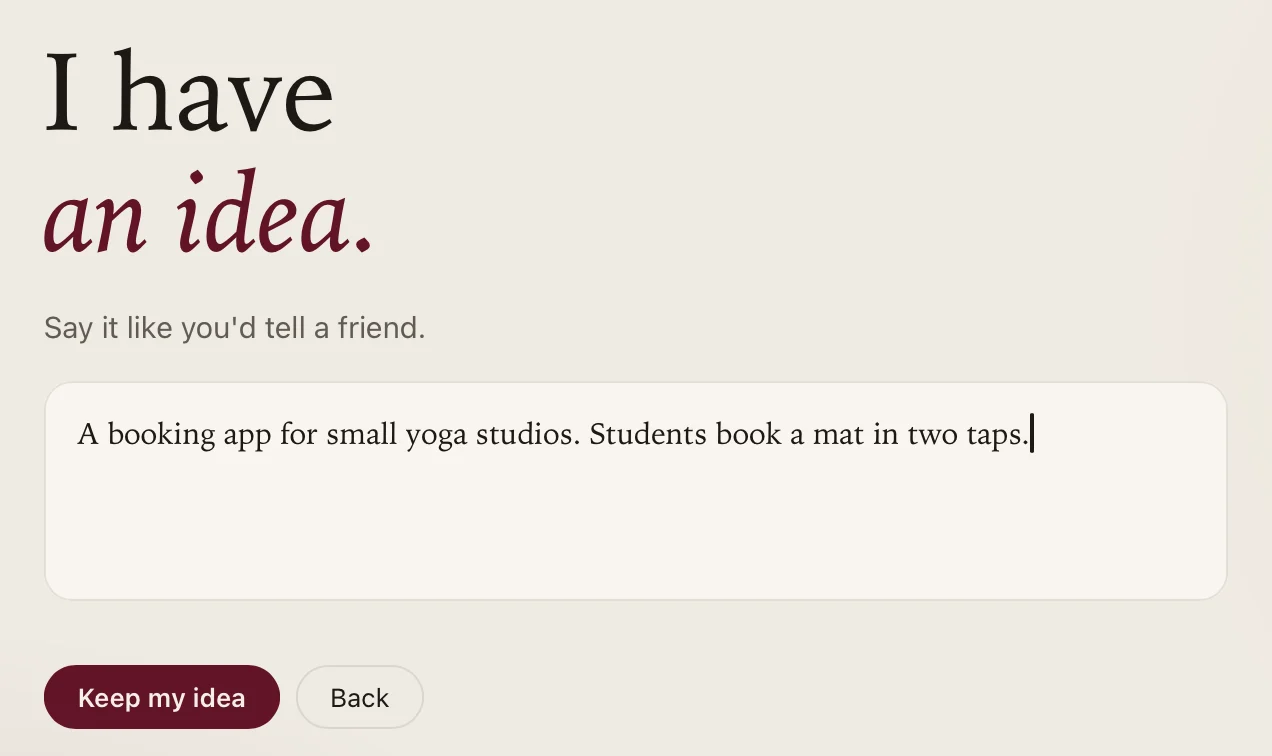
    From Crew 0.8.19: I have an idea. Say it like you’d tell a friend. A sample idea typed in: A booking app for small yoga studios. Students book a mat in two taps. Keep my idea and Back.
  6. Sign in with FIFT ID

    New? Same button. Crew restarts once.

    From Crew 0.8.19: Sign in to keep it. New? Same button. Sign in with FIFT ID and Back, then Terms and Privacy.
  7. Keep your recovery code

    Save it once: Crew never shows it again.

  8. Pick the AI you pay for

    Crew is free. Your AI is paid to its maker. Sign in on its own page.
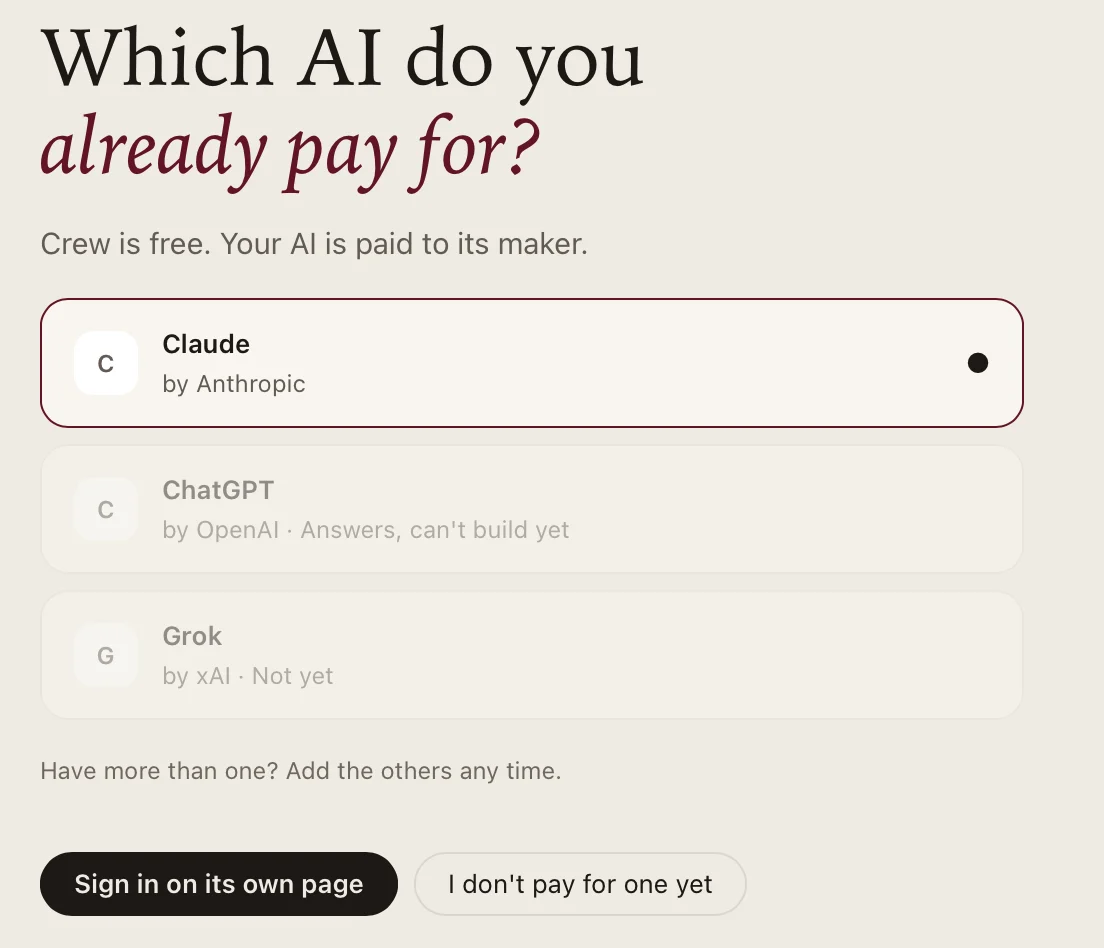
    From Crew 0.8.19: Which AI do you already pay for? Crew is free. Your AI is paid to its maker. Claude by Anthropic, picked; ChatGPT by OpenAI, Answers, can’t build yet; Grok by xAI, Not yet. Have more than one? Add the others any time. Sign in on its own page and I don’t pay for one yet.
  9. Talk to your Chief

    Your Chief’s chat opens on Home. No AI plan yet? Press Connect when you have one.
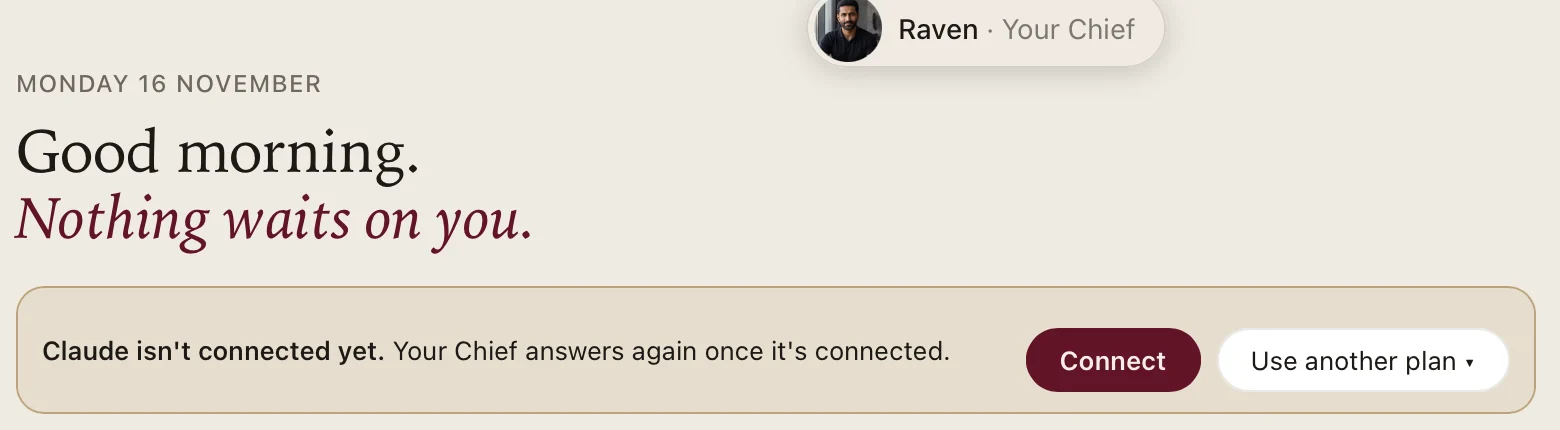
    From Crew 0.8.19, before an AI plan is connected: Raven, Your Chief. Monday 16 November. Good morning. Nothing waits on you. Claude isn’t connected yet. Your Chief answers again once it’s connected, with Connect and Use another plan.

Good to know

macOS says Crew is damaged or can’t be checked

Don’t open that copy, and don’t turn off macOS’s protections. Email sunny@fift.studio and we’ll sort it out.

The background helper

Crew turns on Crew Core, a helper that keeps your crew’s records on this Mac while you’re logged in. macOS shows a notice that a background item was added. It’s listed in System Settings › General › Login Items & Extensions, and you can turn it off in Crew’s Settings.

Removing Crew later

See Uninstalling Crew. Removing the app doesn’t cancel your membership.