
Pictured with AI.
Crew by FIFT · for founders who are not developers
Your own AI crew.
It builds and runs your companies with you, on your Mac.
Free for one company · on your own AI plan, Claude today, more coming · Apple silicon Mac
Why Crew
One founder. A whole crew.
Crew is your own team on your Mac: a Chief and a crew with names and faces. Tell them once what you want, in your own words. They do the work, remember it, and bring you only the yes or no that is yours.
Tell it once. Show what you’ve made, or say your idea. Crew answers: “Here is what I understood.”
Your Chief
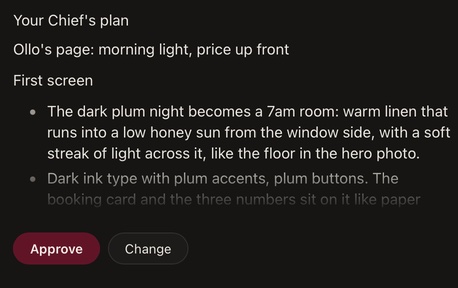
A plan before the work.
Say what you want. Your Chief answers with a plan you approve.
Sample company and figures.
Your crew
Your own crew, with names and faces.
Talk to any of them. What you tell one, all of them know.


FIFT’s own crew: faces made with AI. Yours gets the names and faces you give it. Sample company and figures.
The work
Watch it happen.
Each step in the chat as it happens. What they make opens beside it, inside Crew.


Sample company and figures.
Your yes
You say yes.
Money, posts and messages, a site going live and Crew’s records always wait for your Touch ID.

Sample company and figures.
Your money
Money, read not typed.
What each company takes in a month, read from its pay system.

Sample company and figures.
Home
See what moved while you were away.
Your Chief tells you what moved on, and what waits on you.

Sample company and figures.
And more
Everything else it does today.
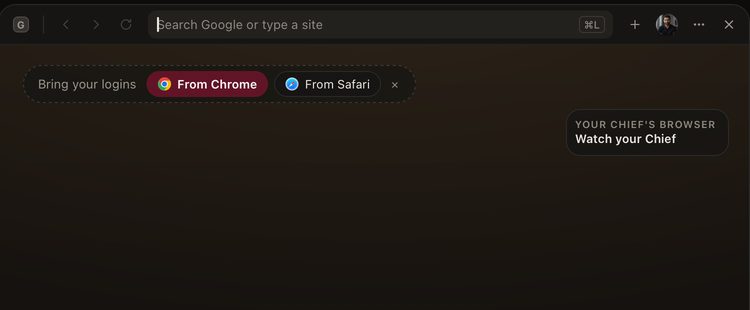
Your Chief’s browser
A browser in the window. Watch your Chief use it.
In Crew: Watch your ChiefBring your logins
A browser inside Crew’s window, where you can watch your Chief use a page. Bring your logins from Chrome or Safari when you want to.
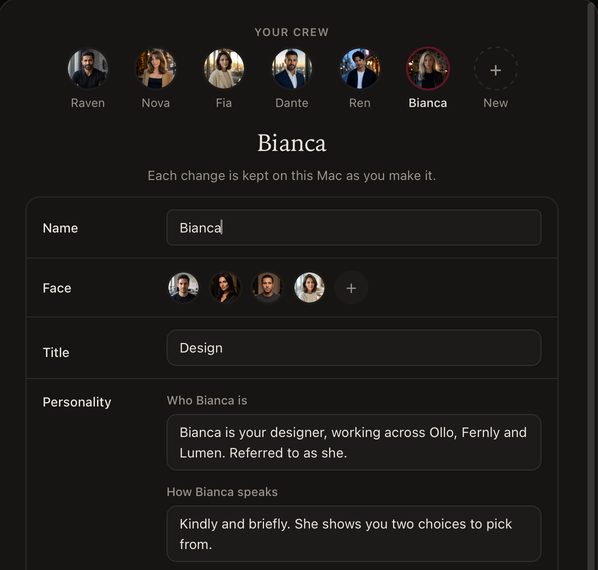
A personality, written for you
Say who they are. Crew writes the rest.
In Crew: NameFaceTitlePersonality
A name is enough to start. Say who they are in your own words, and Crew writes their personality.
Each change is kept on this Mac as you make it. They work across all your companies unless you name one.
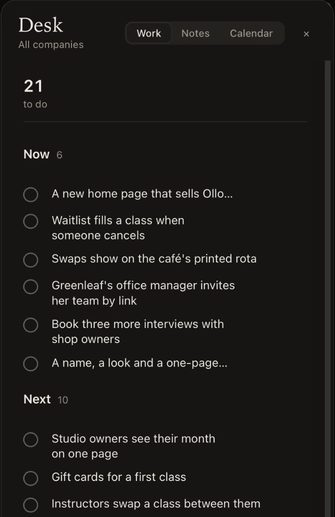
The List, in your words
Everything you ask for, as a row.
In Crew: Desk ⌘LDone when
Everything you ask for becomes a row in your own words, with who has it and where it stands. Your Chief must quote you, or Crew refuses the row.
Your List, your notes and your calendar share one Desk.


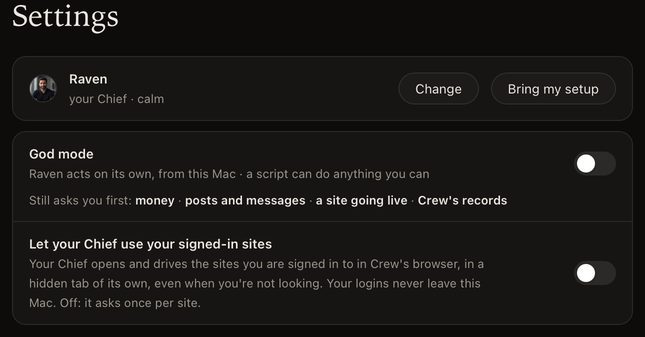
God mode
The rest runs on its own. Four things still ask.
In Crew: God modeStill asks you first
Turned on, everything else runs without asking; money, posts and messages, a site going live and Crew’s records still wait. It starts off, and turns off whenever you like.
In God mode the rest runs, deleting files and publishing a package or a release too. A few things are simply refused in every mode: paying on a web page, typing a sign-in, a card or a code, and editing Crew’s own files.
A script, its own or one that comes with a downloaded project, can do anything you can.
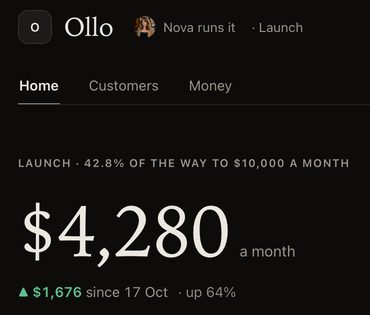
A page for every company
Its number, its customers, its money, what waits.
In Crew: HomeCustomersMoney
Each company has its own page. On Free, that is one company.
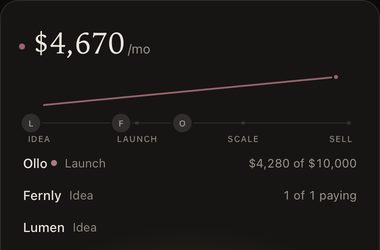
Every company at a glance
What they make together, and where each stands.
The bar beside every screen: your money, your companies, your crew, then what needs you.
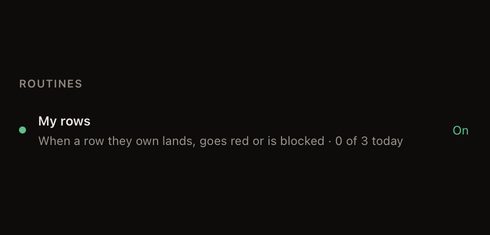
Routines
What a member does unasked, each with a switch.
In Crew: RoutinesOn
Each routine says when it runs, like My rows: when a row they own lands, goes red or is blocked. Each one has its own switch.


Also in Crew: One key, from anywhere · It remembers what you decided · What they remember about you · Workers on your List · Drop in a file · Notes and your calendar · Done means proven · Search & AI · Your month as a picture · Prove it on my plan · Bring my setup, if you use Claude Code · More than one plan · A limit is not the end · Your keys stay on your Mac
Sample company and figures.
Why founders come to Crew.
- On your own AI plan. Crew never resells AI capacity.
- Start free, with one company.
- Money, posts and a site going live wait for your Sign.
- Your keys stay on your Mac.
- Proof on your own plan, before you pay.
Free with one company.
- Free
- with one company
- $50
- /mo for the first 100 founders,locked for life while you stay a member, then $79.
- Mac
- Apple silicon, macOS 14.0 or later
- Your AI
- on your own plan, signed in as youCrew never resells AI capacity or pools logins.
Tax is added at checkout.
Ready when you are.
Free for one company · on your own AI plan · Apple silicon Mac